Claims for auto accident, workers' compensation, and durable medical equipment payers require additional information to be paid. DrChrono makes it easy to enter the details that payers require.
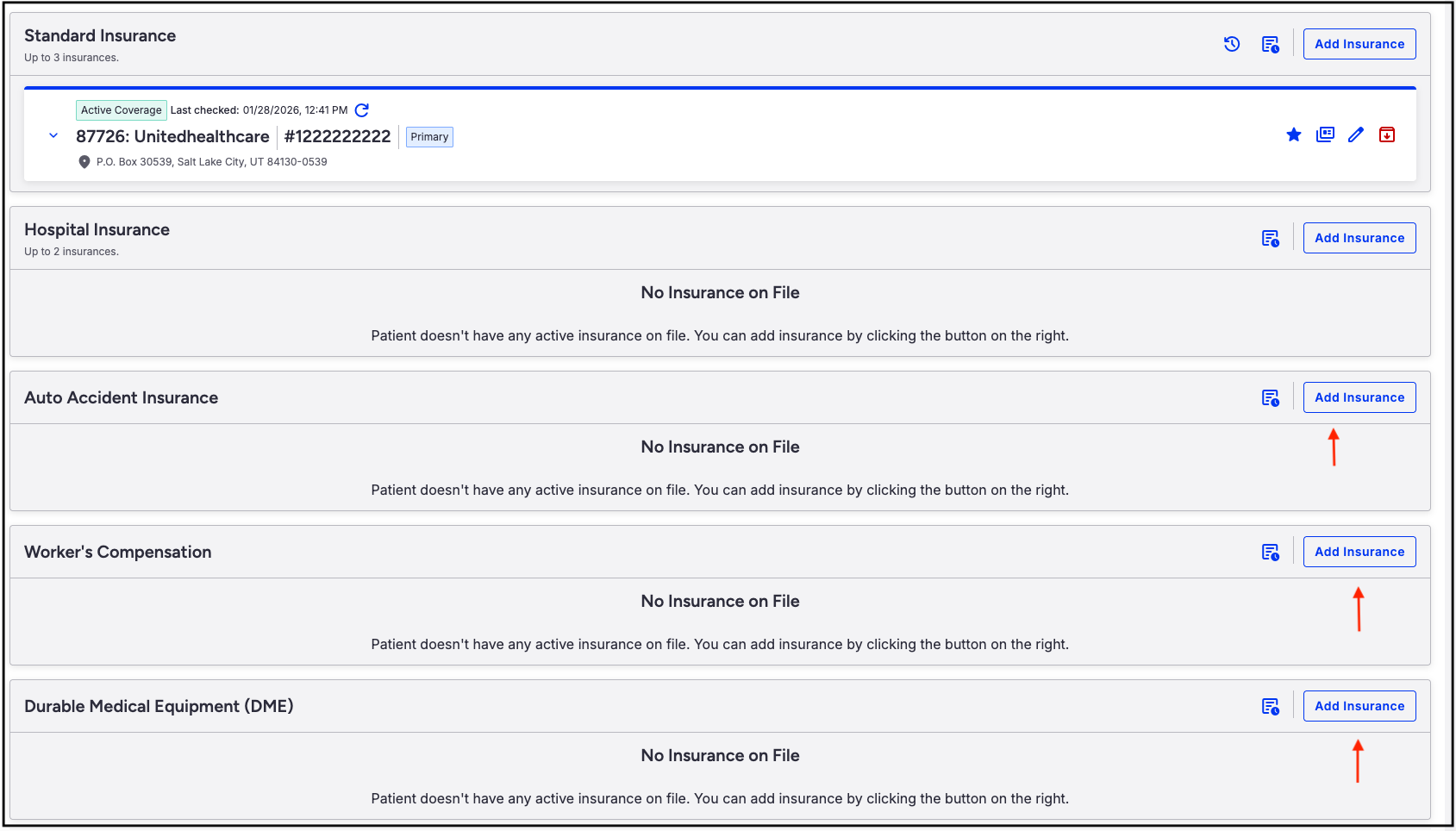
- Navigate to the patient's chart > Demographics > Insurances tab.
- Press Add Insurance in the row that corresponds to the type of insurance (Auto Accident, Worker's Compensation, DME).
- Using Auto Accident as an example, use the Insurance Search box to select the Auto carrier to receive the patient's claim.
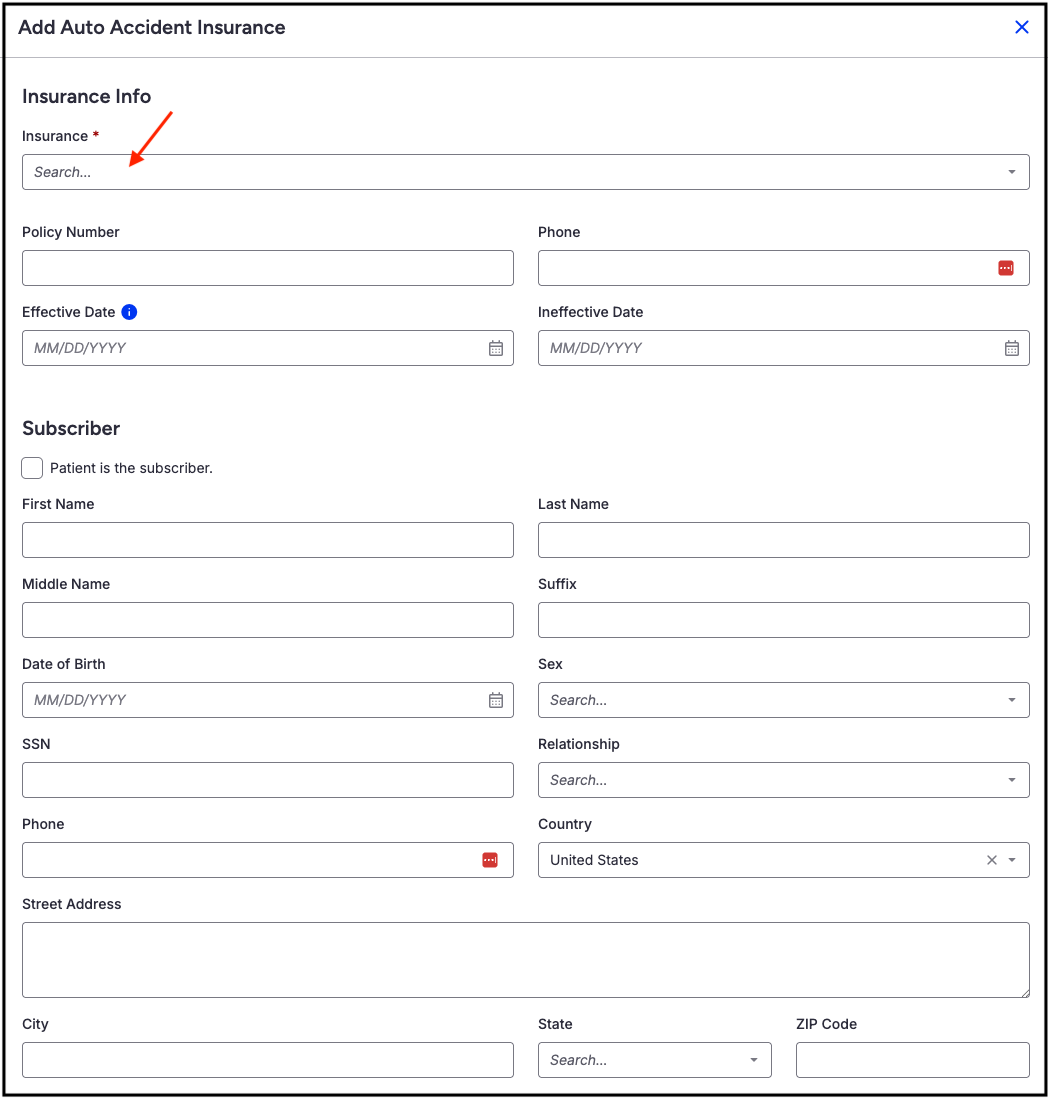
- Enter the information and press Add Insurance.
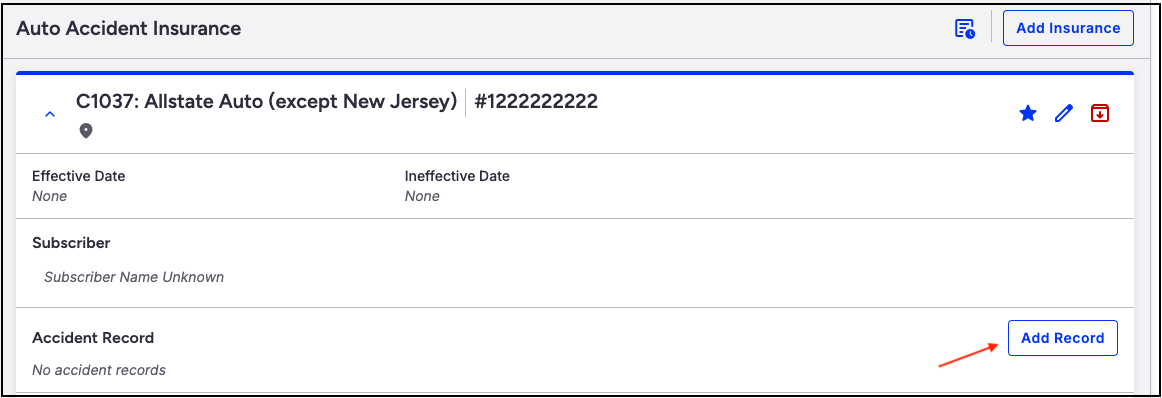
- Once saved, an Accident Record section will open. Press Add Record to enter details for the patient's auto accident.
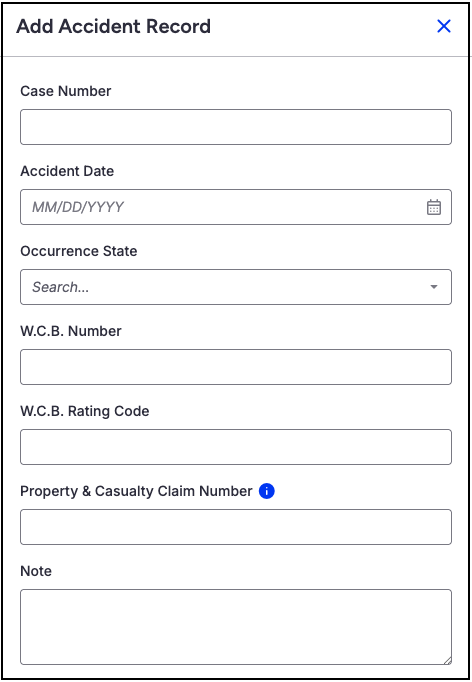
- Here you can enter the auto accident case number, accident date, claim number, etc. There is a free text box at the bottom for any notes related to the auto accident case.
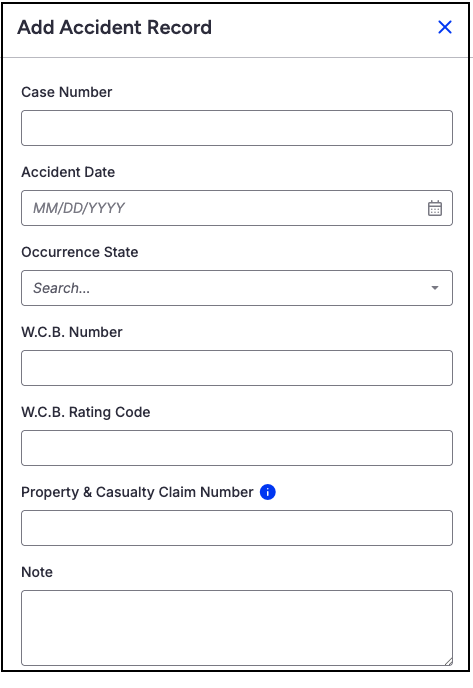
- Workers' Compensation payers work the same way. First, enter the payer and save to the patient's chart.
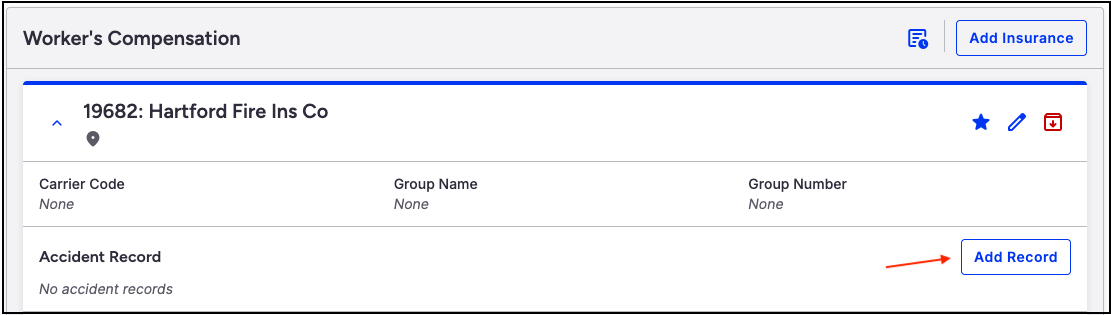
- An Add Record icon will populate to allow details regarding the workers' compensation claim.