Once you add a payer to a patient’s chart, you can quickly and seamlessly run an eligibility and benefits check.
Requesting Eligibility | Viewing Eligibility History | Utilizing Eligibility Profiles
Requesting Eligibility and Benefits
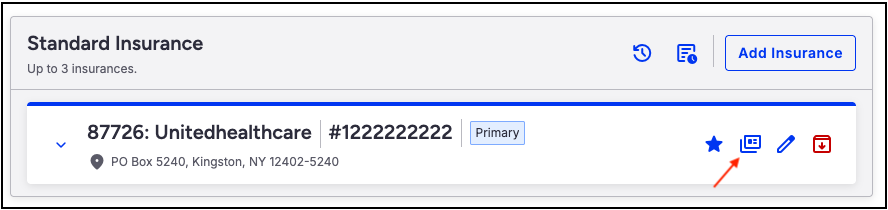
- Navigate to the patient's chart > Demographics > Insurance tab
- Press the dual cards to open the eligibility and benefits window.
- Use the Search box to identify what type of benefits you would like returned.
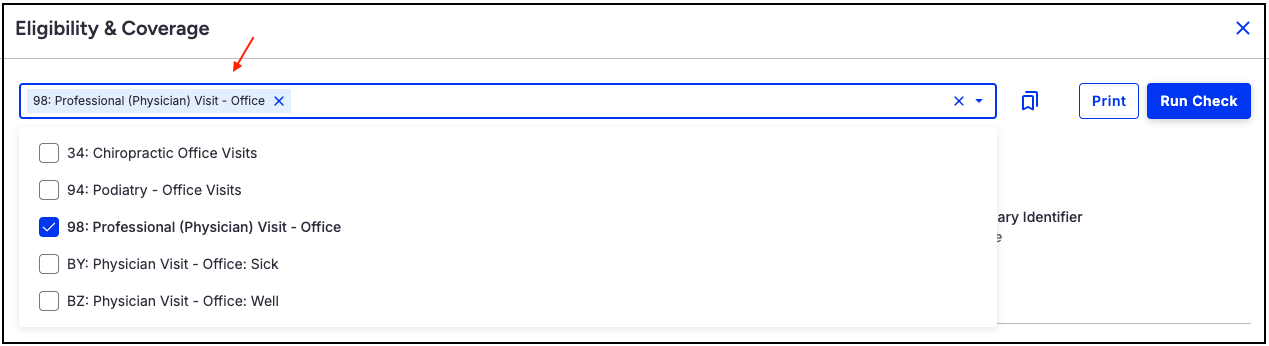
- Press Run Check on the top right of the screen.
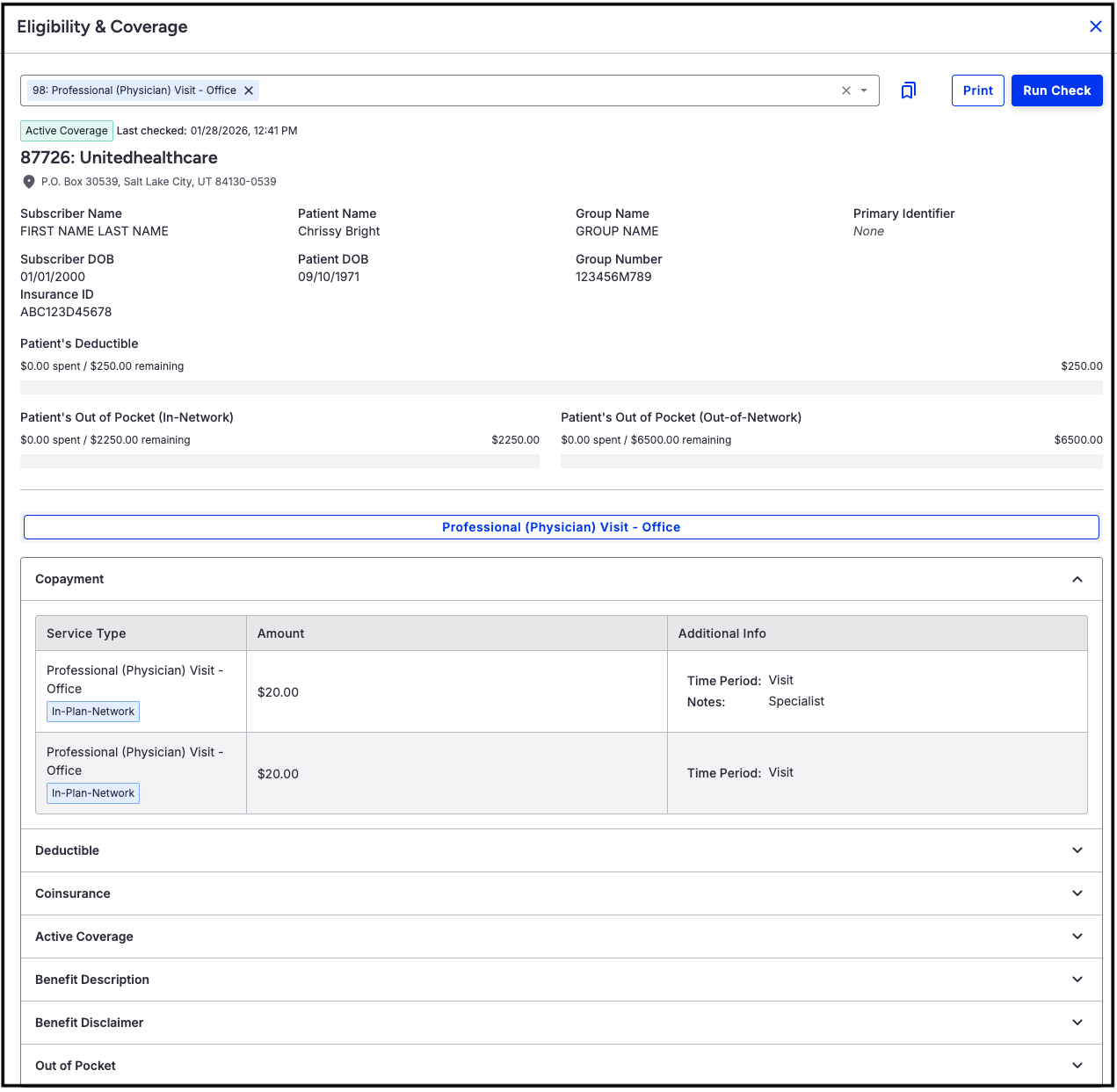
- The system will return the eligibility and benefit information for the patient.
Viewing Eligibility History
When eligibility and benefit requests are made, the system stores them in the patient's history. Viewing eligibility for a specific date of service is quick and easy.
- Navigate to the patient's chart > Demographics > Insurances
- Press the clock icon on the top right of the screen.
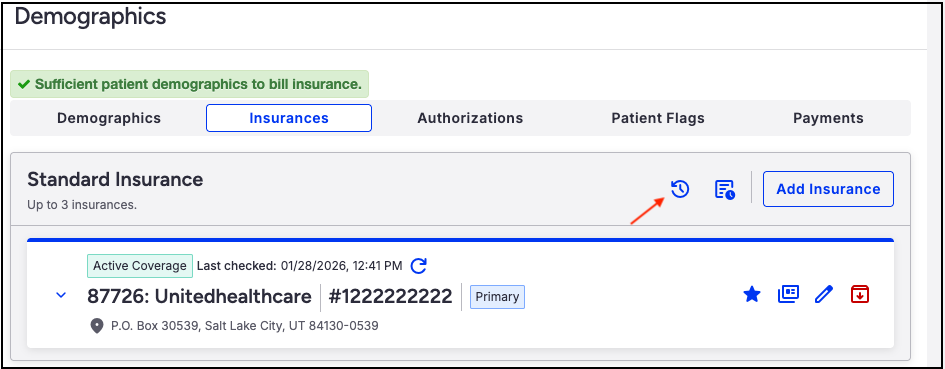
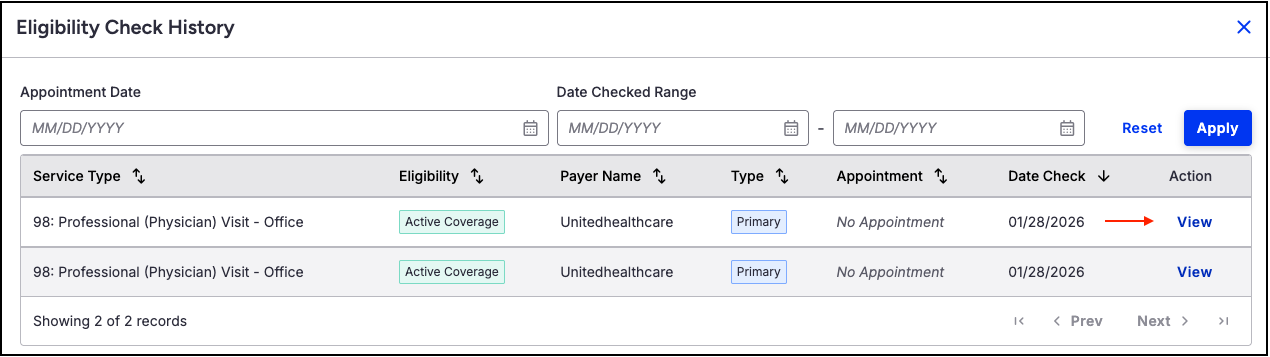
- The eligibility history window will open and show each eligibility check run for the patient. Filters for appointment date and date range are available if the list is long.
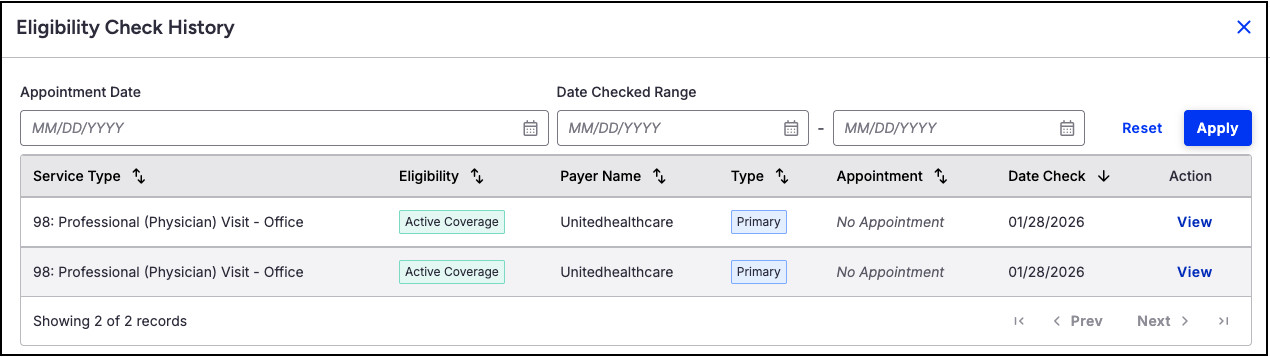
- To view the eligibility and benefit information for a specific date, press the blue View on the right side of the row.
Utilizing Eligibility Profiles
Eligibility Profiles improve efficiency by allowing you to group patients or service types and run eligibility and benefits checks in batches rather than individually. For detailed instructions on setting up and using Eligibility Profiles, please refer to the articles linked here.