To bulk print HCFA forms within DrChrono, follow the instructions listed below:
- Navigate to Billing > Live Claims Feed.
- Enter the date range or filter the claims for a specific patient for whom the HCFA forms are to be printed.

- Once the desired list of claims is filtered, select Export to file and select Print HCFA or Print HCFA(text).
- Note: Print HCFA should be used when you have plain white paper in your printer. Print HCFA (text) should be used when you have the red or green pre-printed HCFA paper loaded into your printer. The text option will print only the text in the appropriate boxes, without printing the box outlines.
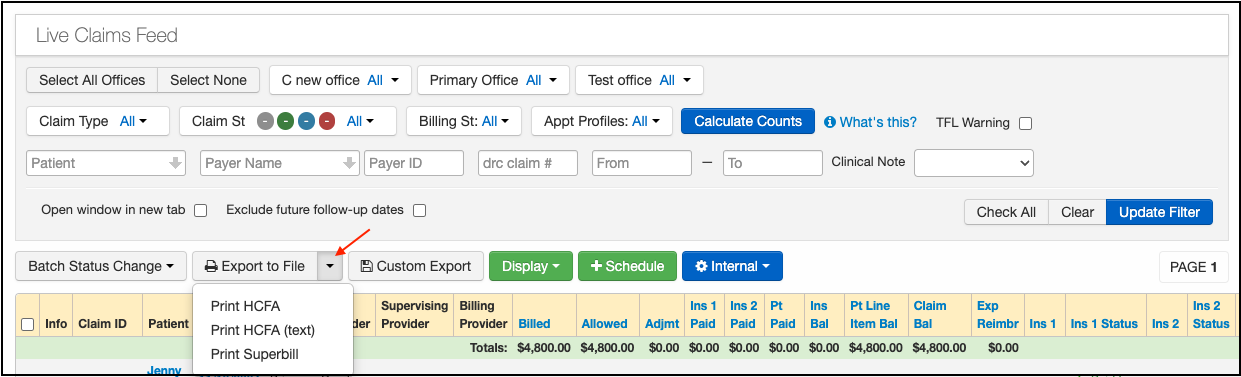
- Note: Print HCFA should be used when you have plain white paper in your printer. Print HCFA (text) should be used when you have the red or green pre-printed HCFA paper loaded into your printer. The text option will print only the text in the appropriate boxes, without printing the box outlines.
- Select the appropriate billing status from the drop-down menu and select Print.

4. The HCFA forms for the list of claims displayed on the page will be exported to your message center.